Windows 7/8/10
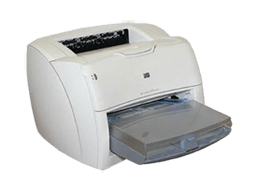
HP LaserJet 1200 Printer Driver Win7/8/10 64 Bit
Geliştirici: Hp • 738 Görüntülenme
İndirme Seçenekleri ve İşletim Sistemleri
Virüs Taramasından Geçti (%100 Temiz)
HP LaserJet 1200 Printer Driver Win7/8/10 64 Bit Son Sürüm
Windows 7/8/10 için doğrudan indirme
Program İncelemesi ve Kullanım Kılavuzu
Hp Laserjet 1200 Windows 10/Win 8 Win 7 Windows Server İşletim Sistemleri için Güncel 64 Bit sürücü dosyası
Hp Lazerjet 1200 ürünü için Windows 10 Win 8 ve Win 7 gibi yeni işletim sistemlerinde yazıcınızı sorunsuz kullanabileceğiniz en yeni güncellemeye ait driver dosyalarını içeren pakettir. Bu paket içerisindeki sürücü dosyasını indirip kurulumu tamamladıktan sonra gerek yerel yazıcı gerek ağ yazıcısı tanımlamalarında sorun yaşamadan yazıcınızı kullanabilirsiniz.
Bu sürücü paketi ile desteklenen işletim sistemleri aşağıda listelenmiştir.
| İşletim Sistemleri: |
|
|||||||||
- Microsoft Windows 8 / 8.1, Pro, Enterprise; 32-bit and 64-bit.
- Microsoft Windows 7 Starter, Home Premium, Professional, Enterprise, and Ultimate; 32-bit and 64-bit
- Microsoft Windows Vista* Business, Enterprise, Home Basic, Home Premium, and Ultimate; 32-bit and 64-bit
- Microsoft Windows XP**† SP3 Home Edition, and Professional; 32-bit and 64-bit.
- Microsoft Windows Server 2012 / 2012R2 Foundation, Essentials, Standard, Datacenter.
- Microsoft Windows Server 2008R2 Datacenter, Enterprise and Standard Edition
- Microsoft Windows Server 2008 SP2 Datacenter, Enterprise and Standard Edition
- Novell iPrint Appliance / Server Platforms
- Novell iPrint Appliance v1.1 - soft appliance hosted on:
- VMware ESX 4.x+, Workstation 9.x+
- Microsoft Hyper-V on Windows 2008 R2 / 2012 R2
- Citrix XENServer 6.x+
- XEN on SUSE Linux Enterprise Server (SLES) 11 / SP3
- Novell Open Enterprise Server 11 / SP1+
- NetWare 6.5 / SP8
- Novell iPrint Appliance v1.1 - soft appliance hosted on:
- Novell iPrint Client Platforms
- Windows 8.1 (32-bit / 64-bit) - iPrint Client v5.99+
- Windows 8 (32-bit / 64-bit) - iPrint Client v5.99+
- Windows 7 (32-bit / 64-bit) - iPrint Client v5.99+
- Windows Vista (32-bit / 64-bit) - iPrint Client v5.82+ (NOTE: best effort support only)
- Windows XP (32-bit only) - iPrint Client v5.82+ (NOTE: best effort support only)
- Citrix XenApp and XenDesktop 7.5
- Citrix XenApp 6.0
- Citrix XenApp 6.5
- Citrix XenApp and XenDesktop 7.5 (requires Windows Server 2008R2 SP1)
- Citrix XenApp 5.0
- Citrix XenApp 5.0 Feature Pack 2 and 3
- Microsoft Windows Server 2012 and 2012 R2 Editions
- Microsoft Windows Server 2008R2
ALTERNATİF MOTORU